Forward Facing Sonar for Beginners: Is LiveScope Worth It?
 Hudson Reed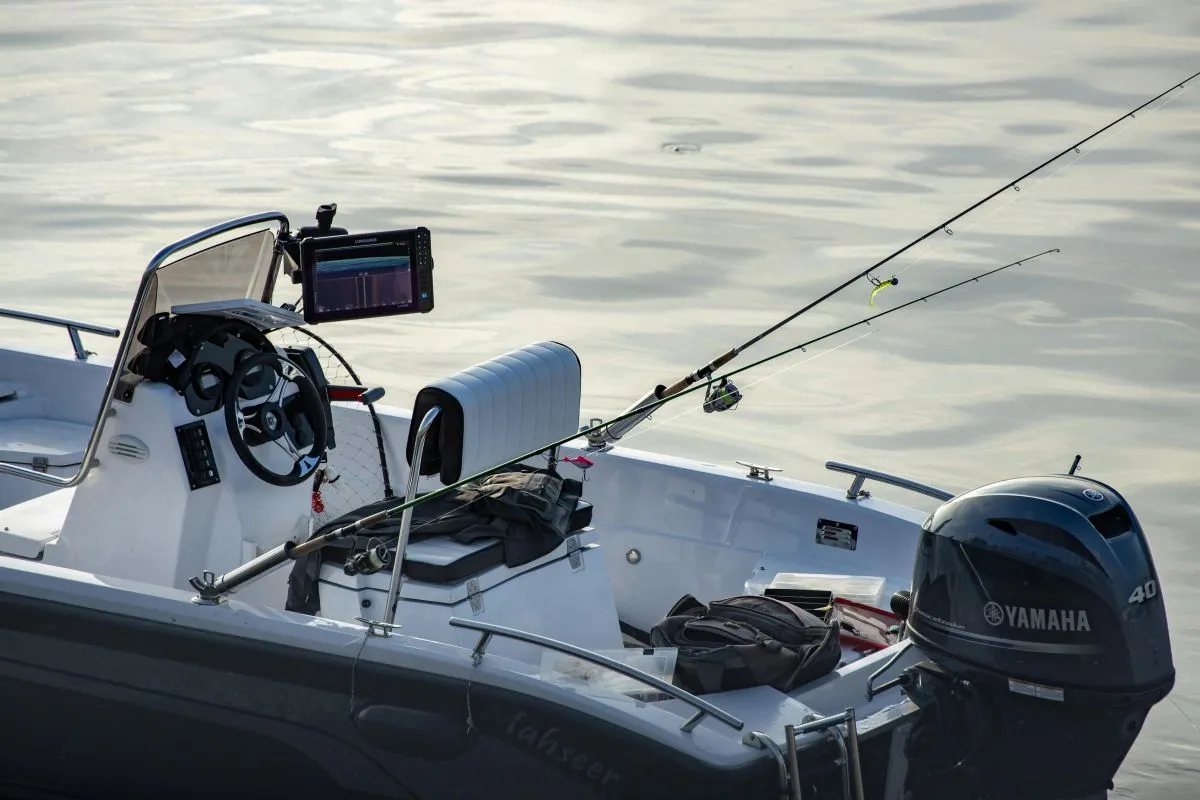
Written by Hudson Reed
What Is Forward Facing Sonar and Why Is Everyone Talking About It?
Forward facing sonar for beginners can feel like a foreign language at first, but the concept is simple. Traditional sonar shows you what's directly below your boat, like a rearview mirror. Forward facing sonar (FFS) shows you what's in front of your boat in real time, like a windshield. You can watch fish swim, see your lure moving through the water, and watch a bass decide to eat, or turn away.
That's not an exaggeration. Tournament pros use it. Bass fishing YouTube is full of it. But FFS has come down in price and complexity enough that everyday weekend anglers are starting to run it too. The question isn't whether it works. It's whether it's right for you.
How Forward Facing Sonar Actually Works
The transducer emits a cone of sound waves forward rather than straight down. Those waves bounce off fish, structure, and your lure, and return a live picture to your head unit, updated in real time, not seconds later like traditional 2D sonar.
Most systems offer three viewing modes. Forward mode works best in deeper water (15 feet and deeper). Down mode is similar to traditional sonar but with much better clarity. Perspective mode (sometimes called Landscape mode) is the one you'll want for shallow water at 15 feet or less. It gives you a wide overhead-style view that's less likely to spook fish near the surface.
The Big Three Systems: Your Options at a Glance
There are three main players in the forward facing sonar market right now:
- Garmin LiveScope Plus: approximately $1,700 for the transducer and puck. Requires a compatible Garmin head unit (not included).
- Humminbird MEGA Live: approximately $1,500 for the transducer. Requires a compatible Humminbird head unit.
- Lowrance ActiveTarget 2: Lowrance's entry, priced similarly, worth a look if you're already in the Lowrance ecosystem.
Keep in mind: the transducer prices above do not include the head unit. That adds another $600-$1,200 depending on screen size and features.
Garmin LiveScope vs Humminbird Mega Live: A Closer Look
The Garmin LiveScope review from most experienced anglers is consistent: it's the gold standard for image clarity and range. LiveScope offers up to 200 feet of range with 20x135-degree coverage and built-in stabilization that keeps the image steady even when the transducer swings in current or chop.
The Humminbird Mega Live vs LiveScope debate is genuinely close. Mega Live tops out around 150 feet of range with 20x120-degree coverage without built-in stabilization, so you'll want a quality pole mount. Image quality is excellent, and it integrates more seamlessly if you're already running Humminbird units.
For most beginners, the choice comes down to what head unit you already own. Don't buy a $1,500 transducer and then need a $900 head unit on top of it. Plan the full system from the start.
You might also enjoy: Spring Crappie Fishing Tips: Ice-Out to Spawn
What Does a Forward Facing Sonar Setup Actually Cost?
Here's the honest breakdown:
- Entry-level ($1,700-$2,000): A used Garmin Echomap UHD 93sv head unit paired with a new LVS34 transducer. The 9-inch screen is the minimum recommended. A 7-inch is too small for effective FFS use. This is the cheapest LiveScope setup most anglers consider functional.
- Mid-range ($2,500-$3,000): A new Echomap Ultra or GPSMAP head unit plus LiveScope Plus transducer.
- Tournament ($3,500-$4,500+): Dual units, multiple transducers, dedicated lithium battery, premium mounts.
Hidden costs to budget for: a dedicated lithium battery ($200-$400) and quality mounting hardware ($100-$200). The used market is worth checking. a complete setup under $1,000 is possible with a used Echomap UHD 93sv and a new transducer.
The Learning Curve: How Long Before You're Catching Fish?
Real talk: the forward facing sonar learning curve is steep. Most experienced users say it takes several dedicated outings before you're catching more fish with it, not less. The first few trips, you'll likely catch fewer fish because you're staring at the screen instead of fishing.
The most common beginner mistakes:
- Wrong settings. For bass, set forward range to 80-100 feet and gain to 55-65%. For panfish, drop the forward range to 40-50 feet.
- Not sweeping the transducer. Slowly sweep side to side to cover ground. The beam doesn't auto-scan.
- Poor casting accuracy. The forward beam cone is only about 2-3 feet wide. Missed casts mean you won't see your lure or the fish's reaction.
- Spooking shallow fish. In water shallower than 15 feet, use perspective mode. The forward beam can put enough pressure on fish to drive them off.
The mental multi-tasking challenge is real. You're watching a screen, managing rod angle, controlling your boat, and executing a presentation simultaneously. Give yourself grace for the first few trips.
Best Baits and Techniques for Forward Facing Sonar
Not every technique translates well to live sonar bass fishing. Fast-moving baits like crankbaits are hard to track early on. Save those for later once you've built screen-reading skills.
Start with these forward facing sonar techniques:
- Drop shot: Most beginner-friendly by a wide margin. Hold it still, watch a fish approach on screen, and twitch just enough to trigger a bite.
- Finesse ned rig: Slow, subtle, easy to keep in the cone. Great for suspended bass in open water.
- Swimbaits and glide baits: Once your casting is dialed in, watching a big bass track and eat a swimbait on screen is one of fishing's great thrills.
- Jerkbaits: Pause on demand when you see a fish approaching on screen. Huge in cold water.
Rod choice: a 7-foot medium-light gives you the sensitivity and control to make micro-adjustments based on what you're seeing. Go heavier and you lose the finesse that makes FFS presentations effective.
You might also enjoy: How to Catch More Fish After a Bad Trip: Turn Slow Days Into Data
Is Forward Facing Sonar Worth It for the Weekend Angler?
The honest answer: it depends on how and where you fish.
FFS is worth it if you:
- Fish large impoundments or reservoirs where finding fish is half the battle
- Frequently fish new bodies of water
- Love finesse fishing and are willing to invest time learning
- Fish 20-30+ days per year
FFS is probably not worth it yet if you:
- Fish small ponds with heavy cover
- Fish mostly very shallow water (under 6 feet)
- Only get out 10-15 times per year
- Are still building foundational fishing skills
If budget is the real constraint, a quality side-imaging or 2D unit will put more fish in the boat per dollar until you've got the skills (and the budget) to use FFS effectively. Electronics don't catch fish. Anglers do.
Start Smart, Not Expensive
Forward facing sonar is a legitimate game-changer when used correctly. But it's a tool, not magic. The anglers who get the most out of it invested time learning it, not just money buying it.
If you're ready to take the plunge, the Garmin Echomap UHD 93sv paired with a LiveScope transducer is the most sensible entry point for most beginners. Budget for a lithium battery and quality mounting hardware. Spend your first few trips learning the screen, not chasing numbers. Log every session: settings, what you saw, what worked.
That's exactly what Bushwhack is built for. Log your FFS sessions, track your bait choices, note your settings, and watch the patterns emerge over time. The fish are on screen. Now you just have to learn to read them.
Get fishing tips in your inbox
New guides, seasonal tactics, and gear picks — about once a month, no spam.