Forward-Facing Sonar for Weekend Anglers: A No-Pressure Setup Guide
 Hudson Reed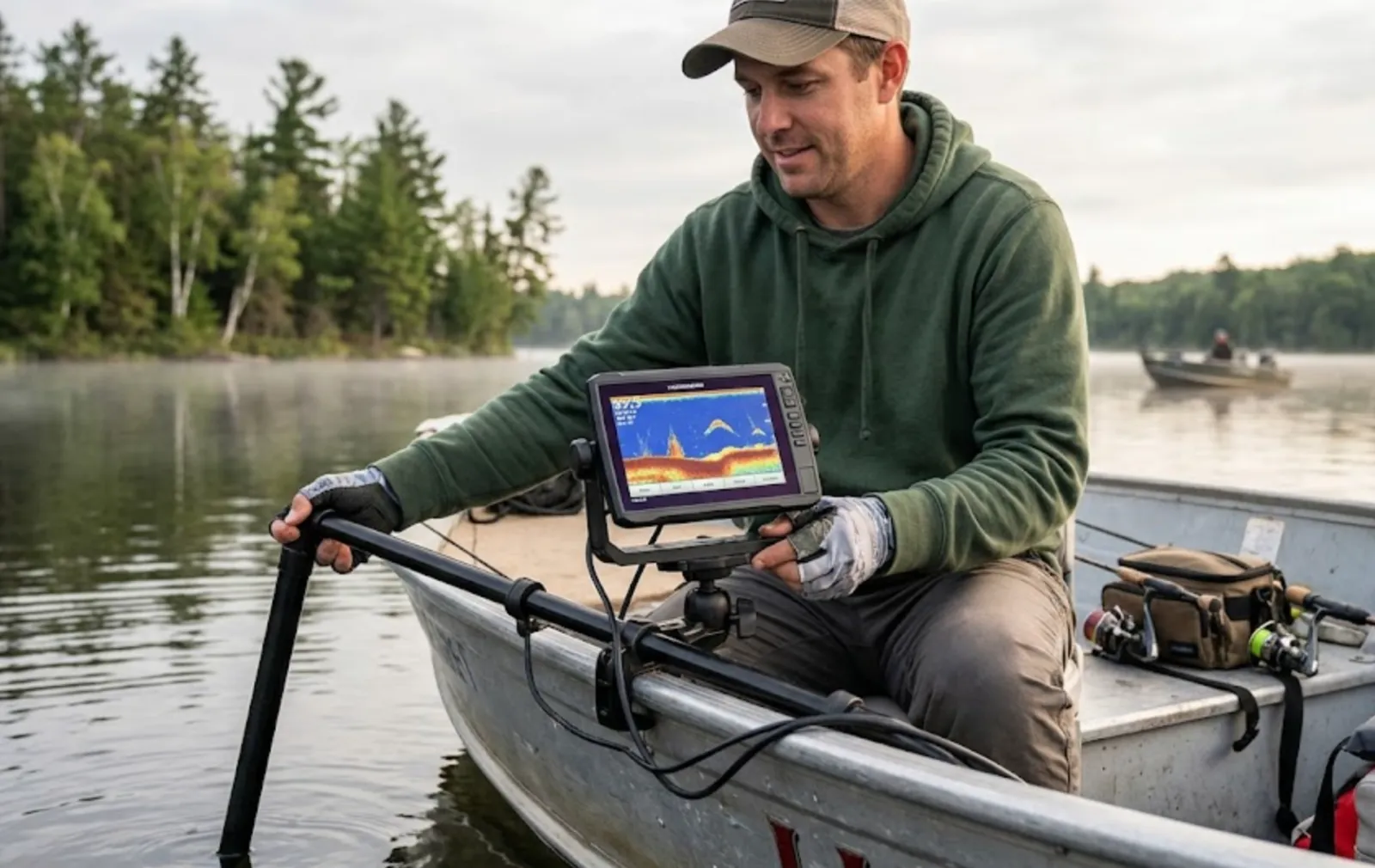
Written by Hudson Reed
The 2026 Bassmaster Elite Series will ban forward-facing sonar in roughly four of nine events, decided by coin flip. The pros are panicking. Their entire game is built on it.
You are not them.
You are someone who bought a Garmin LiveScope LVS34 (or a Humminbird Mega Live 2, or a Lowrance ActiveTarget 2) sometime in the last two years, hung it off the trolling motor, watched the YouTube intro video, and then spent six trips wondering why your screen looks like a static-filled snow globe and the bass don't seem to care. That is the universal weekend-angler experience with forward-facing sonar, and most of the advice on the internet is written for tournament casters who fish 200 days a year. This guide is not.
Hot take first, because it earns the rest of the post: forward-facing sonar is overrated for ninety percent of weekend anglers, not because it doesn't work, but because most owners never get past the "everything looks like spaghetti" phase and quietly turn it off. The unit is fine. The settings are wrong, the range is wrong, and the user is staring at the screen instead of watching the bait.
Let's fix all three.
What the 2026 BASS rule actually changed (and why it matters to you)
In September 2025, B.A.S.S. announced that forward-facing sonar would only be allowed in up to five of nine regular-season Elite Series events for 2026, with the rest banning it outright, including during official practice. The 2025 hardware limits stay in place: one transducer per angler, 55 inches of total screen real estate. B.A.S.S. CEO Chase Anderson said "no single technology should define" competition, according to the Bassmaster announcement.
The relevant takeaway for a weekend angler isn't the rule itself. It's the admission baked into the rule: the technology was deciding tournaments. That is a very different problem from the one you have. You don't need FFS to win money. You need it to stop being a $1,500 confusion box on the deck.
The three units, in plain language
If you already own one, skip this section. If you're still shopping, the short version after reading every comparison piece worth reading:
- Garmin LiveScope (LVS34): Best shallow-water image on the market. Cleanest target separation under 15 feet. Two-hundred-foot range. The default choice for bass anglers who fish under 25 feet most of the time.
- Lowrance ActiveTarget 2: Slight edge in deeper water (past 50 feet) and on structure. Two-hundred-foot range. Pairs natively with HDS units. If you fish offshore ledges, walleye, or deep crappie, this is the one.
- Humminbird Mega Live 2: 150-foot range, the most compact and well-designed mount of the three, and the only one that talks fluently to a Minn Kota and a Solix on the same network. Image is a half-step behind LiveScope in shallow water, but the integration story is best-in-class.
None of these are bad. The difference between them is smaller than the difference between "dialed in" and "factory settings" on any of them.
How do you set up forward-facing sonar without looking like an idiot?
The factory settings are tuned for a showroom floor, not for a 12-foot-deep largemouth pond in July. Here is the order of operations that actually works.
Step 1: Set gain to 65 percent and stop touching it for a while
Every guide on the internet has a different number here. Livingston Lures says max out color gain. Outdoor Life's FFS guide pegs sensitivity at 55 to 65 percent. The Fishfinder Coach folks say expect to adjust gain five to ten times per hour. They are all correct because gain depends on depth, light, water clarity, and how silty the bottom is.
What works for a beginner: start at 65 percent. If the screen looks like static, drop 5 percent. If you can't see a baitfish school you know is there, add 5 percent. Five percent at a time. Not 20. You're trying to dial in a radio, not fly a fighter jet.
You might also enjoy: Fly Fishing Utah for Beginners: 5 Forgiving Rivers
Step 2: Cut your range in half
This is the single biggest setting mistake. New users crank range to 100 feet because that's what they paid for. At 100 feet, a bass is two pixels tall and you cannot tell it from a stick.
Set range to 40 feet until you can read the screen with confidence. That's about a comfortable underhand cast. Outdoor Life suggests 80 to 100 feet for "average casting", which is pro advice for pro casters. Forty feet means every fish on your screen is one you can actually reach with a smooth cast, and at 40 feet a 14-inch bass takes up real visual space. Once you can identify a bass versus a carp versus a piece of suspended brush at 40, push to 60. Then 80. Earn the range.
Step 3: Pick forward mode and leave perspective alone
Forward mode shows a narrow 2-to-3-foot-wide beam straight out the front of the boat, drawn vertically on screen like an X-ray slice of the water column. Perspective mode shows a top-down bird's-eye view of the same water. Both are useful. Only one is useful while you're learning.
Forward mode teaches you to read fish. Perspective mode is for scouting structure in water under 15 feet, and it's where most beginners get lost because the top-down view looks nothing like reality. Use forward mode for at least your first ten trips. Then dabble with perspective.
Step 4: Turn off trails and bottom fill
Trails draw pink streaks behind every moving object: interesting in theory, screen-clutter in practice. Bottom fill paints everything below the bottom line a solid color, which hides fish that hold tight to the bottom. Both are on by default. Both come off.
Step 5: Tilt the transducer one click up
From the factory, the LiveScope LVS34 is set up to scan a slightly downward cone. Tilt the transducer one notch forward (about 10 degrees), and the three internal sonar bands all shift forward, which gets rid of the bright horizontal "ground glare" band that lives in the middle of your screen on default mounts. Fishfinder Coach calls this the single most underused setup tweak on the LVS34, and after testing it, hard to disagree.
What am I actually looking at on the screen?
This is where most weekend anglers give up. The screen is moving, blobs are appearing and disappearing, and nothing looks like the YouTube tutorial. Three signatures matter:
- Baitfish: Dense, fuzzy clouds that wobble and drift. Look like clusters of TV snow. Usually mid-column or up near the surface. If the cloud is changing shape every half-second, it's bait.
- Gamefish: Discrete, hard-edged returns. A bass at 30 feet out shows as a comma-shaped mark with a head and a tail, often with a slight curve. A big bass is a fat comma. A small bass is a thin one. They move with purpose; bait moves like a flock.
- Bottom debris and brush: Holds still. Sticks up off the bottom but doesn't move when you move the boat. The dead giveaway: if you idle past it and it stays in the same spot relative to the bottom, it's not a fish.
The cleanest mental model: bait drifts, fish hunts, brush sits.
The three baits that actually work for non-pros
Mark Daniels Jr. and a half-dozen other pros have published lists of FFS-friendly baits. Most of those lists assume you can shake a 1/16-ounce hover-strolled minnow with three feet of slack for forty seconds without spooking the fish. You can't. Neither can I.
Three baits that show up well on screen and don't require a tournament-level rod feel:
1. Suspending jerkbait
A Megabass Vision 110 or a Duo Realis 110SP. Flat-sided, big sonar return, easy to track. Cast past the fish, twitch, pause, twitch. The pause is where it eats. The big advantage on FFS: when the fish moves toward the bait, you see it on screen before you feel it on the rod, and you stop yanking the bait away. The Duo Realis line has a tungsten ball in the head that lights up LiveScope like a strobe.
You might also enjoy: Best Kids Fishing Rod and Reel Combo for 2026: Dock Demon vs Ugly Stik GX2 vs PLUSINNO
2. Drop-shot with a 4-inch minnow
A 1/4-ounce drop-shot weight with a Roboworm or a Keitech Easy Shiner pinned on a #1 hook, 12 inches up. Falls in a clean vertical line, holds in place when you stop reeling, and the weight on the bottom gives you a constant reference point on screen. Best learning bait for FFS because it teaches you to read your own lure first.
3. Weighted Neko rig
A 1/32 or 1/16-ounce nail weight in the head of a 5-inch stick worm. Falls horizontally with a wobble, which looks completely different from a drop-shot or jerkbait on screen. Excellent for fish that are sitting tight to brush. Wired2Fish's neko rig guide calls it the most casting-friendly finesse rig on the market, which is why it works for weekend anglers who don't want to deadstick a 3-inch minnow for two minutes.
That's the entire FFS rotation a non-tournament angler needs. Three rods, three baits, done. Anyone who tells you that you need a hover-strolled glide bait on 6-pound fluorocarbon to catch a bass on LiveScope is selling something.
The forget-the-screen, watch-your-bait moment
This is the part nobody talks about. You will spend your first ten FFS trips staring at the screen. You will see a fish, cast at it, the fish will follow your bait, you will stare at the screen so hard you forget you are holding a rod, and when the fish bites you will set the hook three full seconds late.
The fix is counterintuitive. After the cast, look at the rod tip, not the screen. The screen tells you where to throw. Your rod tells you when it ate. Pros do both because they've logged 3,000 hours on the unit. You haven't. Pick one job per moment: before the cast, screen; after the cast, rod. Once that becomes muscle memory, you can split your attention. Until then, splitting attention is how you lose fish.
The day this clicks is the day FFS goes from a $1,500 gadget to a genuine edge. Until that day, it is a very expensive way to be distracted.
Should you keep a log of what you see down there?
The unit shows you the underwater world. It does not remember any of it for you. Which depth had bait at 9 AM in April? Which dock pile held a fish on the south side both years? Which water temp got the suspended fish off the bottom?
That kind of memory is where Bushwhack earns its keep. The species-by-depth-by-temperature patterns that show up after thirty or forty logged trips are the actual edge for a weekend angler, more than any setting on the FFS unit itself. If you only fish 25 days a year, you cannot afford to forget half of them. Bushwhack's features turn your trip notes into pattern recognition the same way LiveScope turns water into image.
How long until forward-facing sonar "clicks"?
Realistic timeline for a weekend angler fishing 25 to 35 days a year: three to five trips to stop being scared of the screen, ten to twelve trips before you can confidently identify a bass at 40 feet, and around twenty trips before you stop missing hooksets because you were watching the screen instead of your line. Pros put in 200+ days a year. You don't have to in order to make this tool work. You just have to stop trying to use it like they do.
Set gain to 65. Range to 40. Forward mode. Tilt the transducer one click up. Three baits in the rotation. Before the cast, watch the screen; after the cast, watch the rod. The 2026 Elite Series guys are losing their best weapon for half the season. You are gaining yours for the first time. Different problem, same tool.
Get fishing tips in your inbox
New guides, seasonal tactics, and gear picks — about once a month, no spam.